
Many business owners focus only on running payroll and miss the most valuable QuickBooks Payroll Assisted features. The real power sits in the automation that happens after you click submit — especially accurate tax calculations, scheduled filings, and faster employee payments.
Here are the must-have features that matter most in 2026, including several that are frequently overlooked.
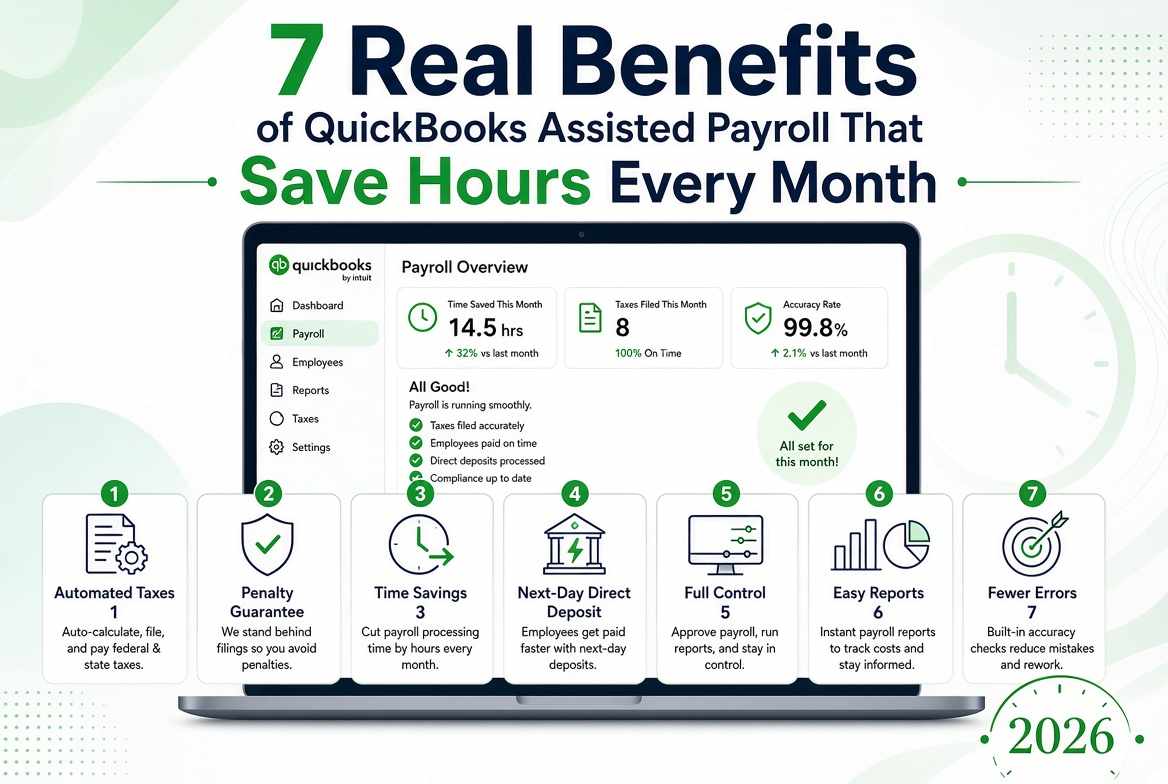
1. Automated Tax Calculations
QuickBooks automatically calculates federal income tax, state income tax, Social Security, and Medicare using up-to-date tax tables. You no longer need to maintain rate charts or worry about mid-year changes.
2. Automated Tax Payments and Form Filings
After you approve payroll, the system prepares and submits federal and state tax payments and files the required forms on time. This is one of the highest-value features because it removes both the workload and the deadline risk.
3. Tax Penalty Guarantee
When the data you provide is accurate and submitted on time, Assisted Payroll includes penalty protection on the tax filings it handles. This safety net is one of the features most owners underestimate until they face a notice.
4. Next-Day Direct Deposit and Tax Filings Support
One of the standout next-day direct deposit and tax filings capabilities lets employees receive pay faster when you meet the cutoff time. Combined with automated tax handling, it creates a smoother payday experience for both you and your team.
5. Full Visibility Inside QuickBooks
You still review hours, earnings, deductions, and net pay before approving. Unlike fully outsourced services, you keep complete visibility and control while the tax side runs automatically.
6. Organized Payroll and Tax Reports
Earnings summaries, tax liability reports, deduction reports, and filing records stay inside your QuickBooks company file. This makes audits, year-end work, and financial reviews much easier.
7. Employee Self-Service Access (via QuickBooks Workforce)
Employees can view digital pay stubs, W-2s, and certain personal information online. This reduces routine questions and manual document requests.
8. Support for Multiple Pay Types and Deductions
The system handles regular wages, overtime, bonuses, commissions, and a wide range of deductions. Once set up correctly, these calculate automatically each pay period.
Features Most Owners Overlook
Several of the most valuable features are easy to overlook until you need them. The tax penalty guarantee protects against costly filing errors, yet many owners only appreciate it after receiving a notice. Automatic tax table updates keep calculations current without manual work, but this quiet feature is often ignored. Next-day direct deposit improves employee satisfaction when the cutoff is met, though not every business prioritizes it. Centralized reports save significant time at year-end and during audits by keeping everything organized inside QuickBooks. Finally, employee self-service reduces routine admin questions by letting staff access pay stubs and documents on their own — another feature that frequently goes underused.
Why These Features Matter Together
Individually, each feature saves time or reduces risk. Together, they create a payroll system that is faster, more accurate, and far less stressful than manual processes or basic payroll tools.
When the QuickBooks Payroll Assisted features are set up correctly, most of the heavy compliance work happens in the background after you approve payroll.
For the complete A-to-Z guide covering setup, benefits, how the process works, and best practices, see the full article on QuickBooks Payroll Assisted.
Frequently Asked Questions
1. Does Assisted Payroll file both federal and state taxes?
Yes. It handles federal and most state tax payments and filings. Always confirm current coverage for your specific states.
2. Is next-day direct deposit available on every plan?
Next-day direct deposit is available when you submit payroll by the required cutoff time. Timing rules can vary, so check your specific service details.
3. Do I still need to review payroll if so much is automated?
Yes. You should always review employee hours, earnings, and deductions before approving. Automation handles the tax calculations and filings after your approval.
4. Can I access historical payroll and tax reports easily?
Yes. Reports remain inside your QuickBooks company file, making it simple to pull historical data for audits, reviews, or year-end work.
Want help understanding which features matter most for your business or need setup support?
Call +1-866-408-0444. Specialists can walk you through the details and answer your questions.

Write a comment ...